

MDT / CAD for GTA RP
The GTA RP MDT that keeps every scene moving
Dispatch, CAD records, map, and services in one fast interface for FiveM.
Real-time dispatch
MDT / CAD FiveM
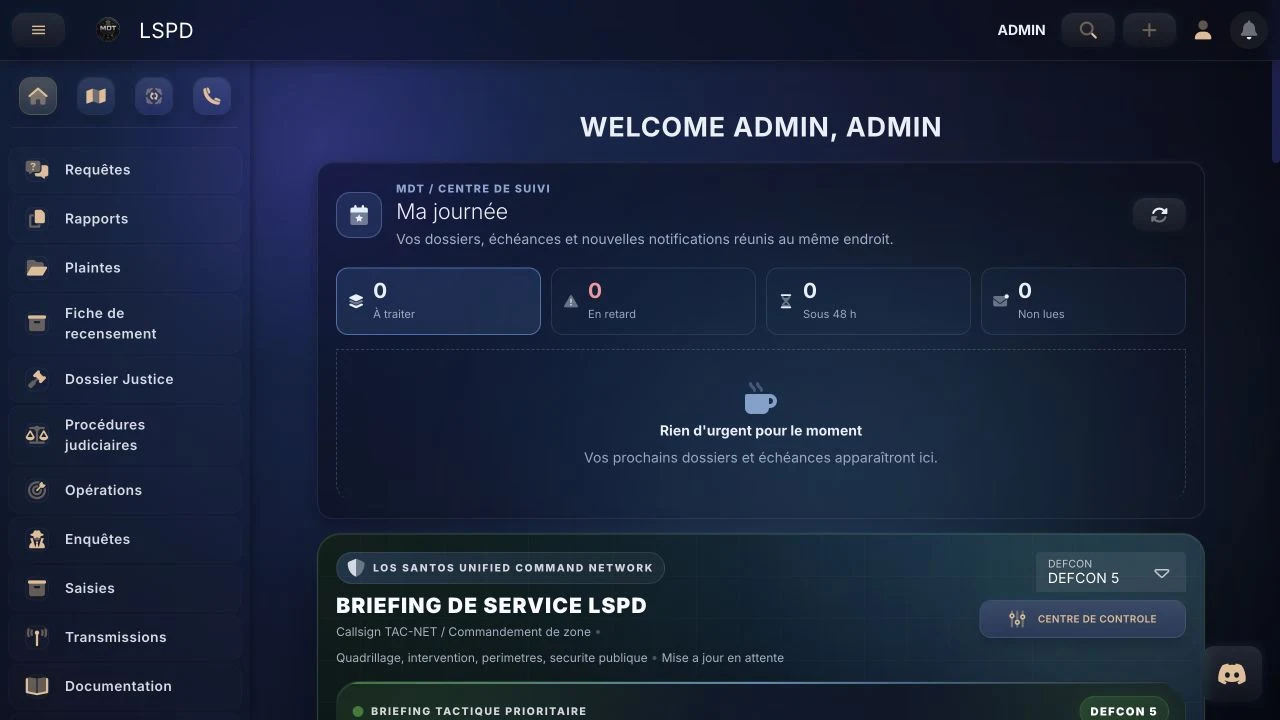
Field proof
Proof, not promises
Thousands of actions already centralized by GTA RP servers.
Aggregated and anonymized data.
+3 413 dispatch units+110 969 stored media+24 318 offenses

Key features
Everything your team needs, in one place
Dispatch, records, map, and permissions built to keep scenes moving.
Feature demos
See the MDT in action
Two core workflows, no long sales pitch.
Dispatch CAD
Run dispatch live
Create a call, assign units, and follow the scene.
Map
Coordinate from the map
Locate positions and share field information.
Business RP module
RP businesses that actually feel active
Showcases, catalogs, and services every owner can manage without staff help.
PD
Car dealership
Premium Deluxe Motorsport
PRO trial active
Public catalogFeatured vehicles
Shareable linkLampadati KomodaSport • used • visible stock
$50,000
More business scenes
Offers and contacts give players a reason to visit.
A clearer economy
Prices, categories, and stock stay easy to read.
Autonomous owners
Teams, catalogs, and documents stay admin-free.

Client feedback
Trusted by RP teams
Direct feedback from servers using it every day.
5 stars
5/5"A clear tool that keeps our scenes moving from the very first patrol."
5 stars
5/5"Less confusion, cleaner records, and genuinely faster coordination."
5 stars
5/5"Better immersion without making staff onboarding harder."

Pricing
Choose your plan without the guesswork
Basic at €24/month, Pro at €36/month. Save yearly: -20%.
Billing mode
MonthlyYearly -20%
Basic
For growing RP servers
24 €/ month VAT incl.
Monthly billing • VAT included
- 3 public services included
- Real-time dispatch
- Discord support
Recommended
Pro
For active RP communities
36 €/ month VAT incl.
Monthly billing • VAT included
- 3+ public services included
- Discord bot
- Server-tailored setup
Custom
Specific needs / multi-service
Custom quote
Tailored support
- Unlimited services
- Tailored support
- Priority assistance
FAQ
Answers before you start
Understanding the MDT
MDT and CAD: connected tools for your FiveM server
The MDT (Mobile Data Terminal) holds citizen records, reports and the information officers need. CAD (Computer-Aided Dispatch) coordinates calls, available units and incident response.
VAUNTCORP connects both workflows: teams can follow an incident on the map, document it in a report and link the relevant records. Each department accesses the information allowed by its permissions.
Setting up a FiveM server? Read the integration guide to choose between the NUI tablet, the PRO bridge and standalone web access, then compare features and plans.
MDT GTA RP
A control center for RP scenes
Dispatch, reports, records, and coordination in a single readable interface.
MDT CAD GTA RP
A CAD layer usable across every service
Police, EMS, justice, and staff share one operational tool without slowing RP down.
MDT GTA
A serious FiveM-ready workflow
Customization, faster onboarding, and continuous updates shared through articles, the devlog, and release posts.
Explore
Guides and releases to equip your RP server
Practical guides for your server’s police, EMS, justice and businesses. Articles are currently available in French.
Police · Justice
MDT investigation system
Centralize leads, evidence, and links between records in a readable investigation workspace.
Read in French →FiveM · Desktop
Desktop application and FiveM overlay
Keep MDT information accessible without breaking the flow of RP scenes.
Read in French →Reports · AI
MDT AI Assist for report writing
Speed up reports while keeping writing structured and professional.
Read in French →RP Business
BusinessOS for RP companies
Showcases, catalogs, and news feeds that make your server economy feel alive.
Read in French →Staff coordination
Transmissions that save RP time
Move useful information between teams, ranks, and services more efficiently.
Read in French →GTA VI RP
Prepare an RP server for GTA VI
Anticipate new players with operational processes and tools already in place.
Read in French →Take the next step
Ready to try the MDT?
Open the demo with your staff and see immediately if it fits your server.