

Free NUI tablet
A lightweight FiveM resource that opens VAUNTCORP MDT in game. Its client code is public, auditable and released under the MIT license.
Free · GitHub · MITAdd a free NUI tablet to FiveM, then connect ESX, QBCore or custom data to the VAUNTCORP MDT platform with the PRO server bridge.
Built for your FiveM stack
Dispatch
Real-time
CAD records
Centralized
FiveM
Compatible
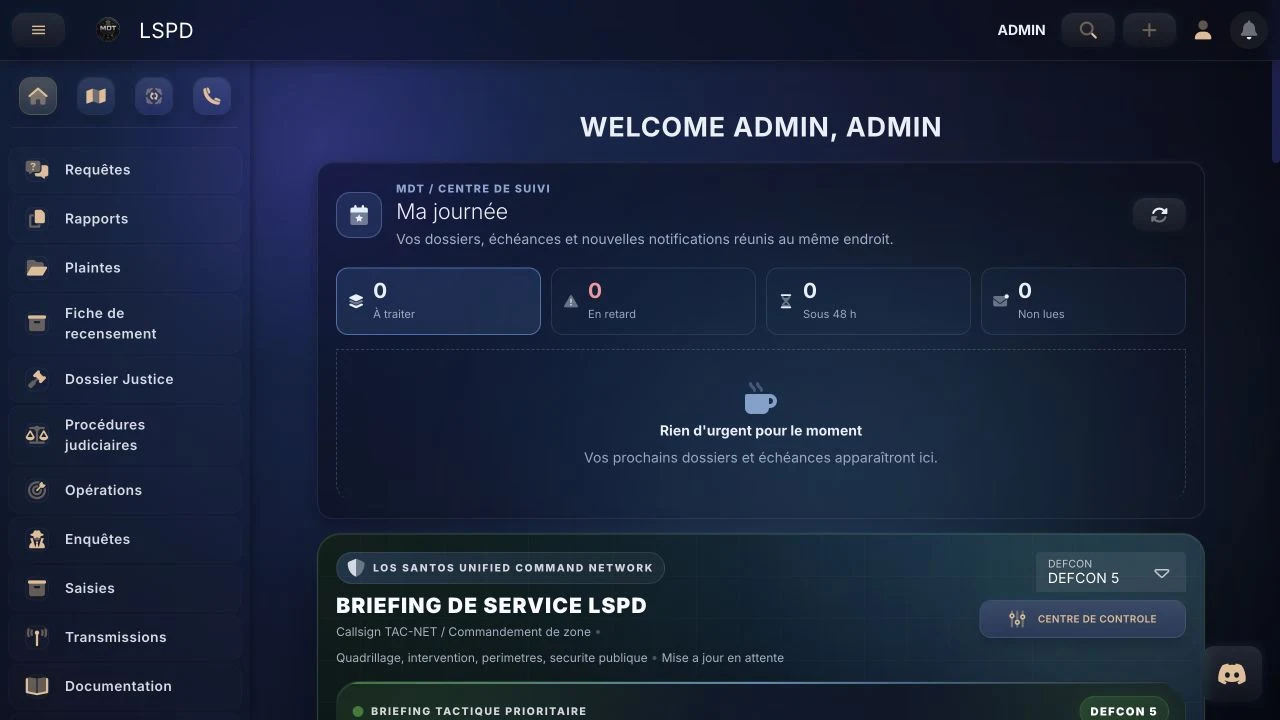
Client tablet
Free
MIT code on GitHub
Resource license
MIT
auditable and editable
Frameworks
3+
ESX, QBCore, custom
Why RP servers choose it
Clear architecture
A lightweight FiveM resource that opens VAUNTCORP MDT in game. Its client code is public, auditable and released under the MIT license.
Free · GitHub · MITThe server layer normalizes citizens, vehicles and identifiers from ESX, QBCore or a custom adapter without exposing secrets to the client.
Synchronization · PROThe product centralizes dispatch, records, reports, map, departments and permissions. It remains available in a browser without launching FiveM.
Hosted applicationESX, QBCore and standalone
Framework detection and adaptation of identifiers, characters, jobs and other data required by the MDT.
QBCore data connection through the server layer, with a clean boundary between the client and secrets.
The tablet works without ESX or QBCore. A custom adapter can then feed the MDT according to your schema.
The bridge can integrate with your server stack and SQL access without shipping sensitive keys in the NUI.
Quick installation
git clone https://github.com/vauntt/fivem-vaunt-mdt-cad-integration vauntmdt
ensure vauntmdt
Getting started
Clone or download the public GitHub resource into your FiveM server resources folder.
Add ensure vauntmdt to server.cfg, then restart or reload the resource.
Open the in-game tablet and authenticate to the hosted VAUNTCORP application with your account.
Enable the PRO server bridge to synchronize ESX, QBCore or your custom framework without exposing secrets.
What is free — and what is not
| Solution | What is included | Access |
|---|---|---|
| FiveM tablet | NUI resource, command and keybind, client configuration, public code | Free under MIT · MDT account required |
| Server bridge | Framework detection, ESX/QBCore/custom adapters, secure synchronization | Included with the PRO plan |
| VAUNTCORP MDT | Dispatch, records, reports, map, departments, permissions and support | Hosted subscription application |
Frequently asked questions
Yes, the NUI tablet published on GitHub is free under the MIT license. It opens the hosted VAUNTCORP MDT application, which requires an account and a separate plan after any trial period.
The client tablet works independently of ESX. The PRO server bridge can detect ESX and adapt the data required by the MDT.
Yes. The tablet remains standalone, while the PRO bridge adds the QBCore adapter for server-side data synchronization.
Yes for in-game access. For full business data synchronization, the bridge can receive an adapter matching your schema and identifiers.
Yes. VAUNTCORP MDT is a web application that works in a browser. The FiveM resource simply adds integrated in-game access.
Never in the client or NUI. Secrets required by the bridge must remain in the server configuration according to the installation guide.
Ready to test
Try the application, review the GitHub resource and talk to us about the best integration for your framework.